
404-page
Optimise your 404 page
In this article, we provide tips on how you can create a 404 page that makes sense to users
We’ve all experienced it: you’re browsing a website, find a link that looks like it will answer your question - then you click it and land on a 404 error page.
It’s frustrating and annoying, and often we leave the site just as quickly as we arrived.
A 404 page is a message telling you that the page you’re trying to access doesn’t exist - either because it has been removed or because the URL was entered incorrectly.
Whatever the reason, users quickly become frustrated when their expectations aren’t met.

So, what's the fuzz about?
All websites experience broken links from time to time, and it's only natural on a website where content is updated and replaced regularly. And the more content you have, the more broken links you will experience.
The problem arises when users are met with a 404 page that does nothing to remedy the situation they are in. In addition to damaging your overall image, you risk losing leads and sales because the user quickly returns to the search result and clicks on the next snippet in the search result, which leads to content on one of your competitors' websites. When users bounce, it's an indication to Google that your content on the page they just left is not providing value to the user.
"Uhhh....how much value can a 404 error page create...?
We'll come back to that.
Now, it's not always your fault that a user gets a 404 page on your website, but because it has a big impact on the users' experience of the website they encounter, it should always be part of regular website maintenance to take a closer look at the website addresses that have broken links.
Where do I see my broken links?
In Google Search Console under the "Coverage" tab, you'll find the list of pages that return a 404 error.
What do I do with broken links?
If the cause is a typo, you don't need to do anything. What you should pay particular attention to is whether some URLs can be redirected to other pages with similar content or, if it makes sense, to a more general distribution page.
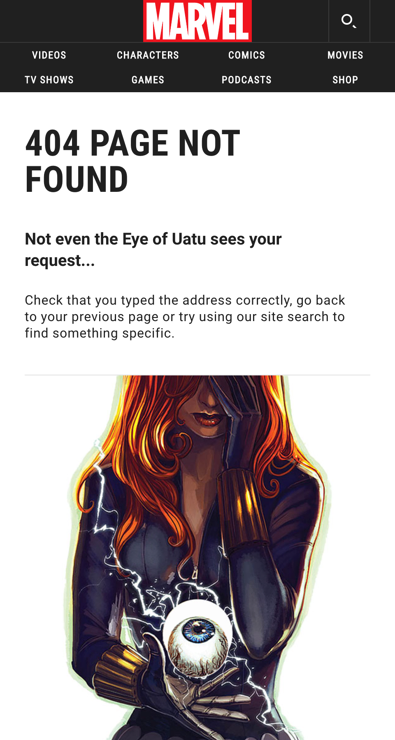
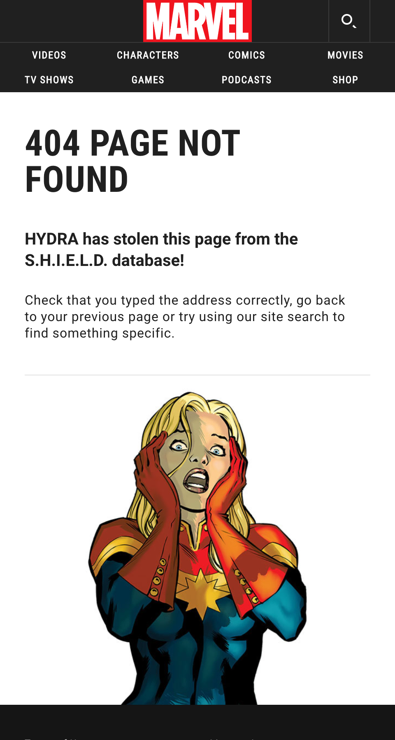


A 404 page should be a great experience
There are many ways to present a 404 page, and how you choose to do so is important for the user experience. At best, your 404 page can be a good ambassador because it addresses the unfortunate situation users find themselves in and tries to alleviate the annoyance that it can immediately cause.
The content on your 404 page has three purposes:
- To draw attention to why the user is getting an error page
- To keep users on your site so they don't immediately disappear back to the search result
- To help users on their way to what they are looking for
It's relatively simple, but we still see examples of 404 pages that have not received the attention of web editors and therefore appear with the content that developers have added as a fallback.
For example, a funny 'mumble text' may have been written just where the web editor needs to fill in a motivational text that makes the user search around other content on the site.
Do you know what your 404 page shows?
Remember, it's your job as a website editor or owner to ensure the best possible experience for those who encounter your 404 page. You can quickly check your 404 page by typing in www.mitdomæne.dk/et-eller-andet-vrøvl/ or www.mitdomæne.dk/404/, for example
How do I retain users?
You should design your 404 page to best appeal to your target audience. Perhaps a picture, a funny headline and a sincere apology for disturbing users unnecessarily will do the trick. Perhaps a more formal and fact-based approach is what you need to try.
You can add some of these enriching elements to your 404 page:
- A message that the page you are looking for cannot be found.
- A tone of voice that matches the rest of your website.
- A look and feel that is in line with the rest of your website.
- An internal search box.
- A list of links to your most popular articles or posts and a link to the homepage of your website.
- An option to report a broken link.
- Animation or film that makes users linger or interact with the page.
Avoid indexing
No matter how beautiful and useful your customised 404 page is, you probably want to avoid it appearing in Google's search results. To prevent Google indexing, make sure your web server returns a real 404 HTTP status code when a missing page is requested.
What else is important for your website's performance?
Find inspiration for optimising your website and much more.

Open Graph Tags
Use Open Graph tags when sharing on social media
Open Graph Tags allow you to define the information shown when someone shares a link to your page.

SEO tips
Search engine optimisation tips
SEO is a business-critical discipline that you should allocate resources to.

Introduction to web accessibility
Introduction to web accessibility
When your website is accessible, all visitors have a good experience, which benefits both them and your business.

Page Speed
Page speed - an important ranking factor
Understand what page speed is and what to consider when planning your page speed strategy.

Bounce rate
What is a bounce rate?
What is a GOOD bounce rate? Where is it found in Google Analytics? And how can you improve it?

Core Web Vitals
What you need to know about Core Web Vitals
Understand Core Web Vitals and read about the tools you can use to find the Core Web Vitals score of your website.

Pop ups
Why pop-ups work!
Used in the right way, pop-ups can be a useful tool that supports your growth strategy.

Cookie consent
How to give cookie consent
Erhvervsstyrelsens’ guide clarifies what options users should have to refuse cookies.