
Core Web Vitals
What are Core Web Vitals?
Understand Core Web Vitals and read about the tools you can use to find the Core Web Vitals score of your website
Core Web Vitals are three key ranking factors (LCP, FID, CLS) that Google uses to measure user experience and that have carried more weight in rankings since May 2021.


What do Core Web Vitals measure?
Two out of three Core Web Vitals are about speed, which makes up about 95% of the new update. The last 5% relates to the number of layout changes when the page loads. We'll come back to the abbreviations LCP, FID and CLS.
Will it affect your ranking results?
Core Web Vitals are not "new" ranking factors as such, but just more of the same. The algorithms now emphasise speed even more to satisfy impatient users who generally just think life is too short for slow websites.
It's important to realise that your site's ranking is based on more than 200 different factors - not just speed! Relevant and high authority content is still very important for the user experience and the behaviour your users exhibit when they visit your website. Therefore, you probably won't experience any significant changes in your ranking in the short term after Core Web Vitals has been rolled out.
Core Web Vitals metrics - in short
Largest Contentful Paint (LCP)
LCP is all about load times. More precisely, how long does it take for the largest content item to appear in the user's viewport? The magic number is 2.5 seconds and if your LCP is higher, it can affect ranking.
First Input Delay (FID)
FID is all about interaction. How long does it take from when the user first interacts with the content on the page until the browser responds to the action. A good user experience has a FID below 100ms.
Cumulative Layout Shift (CLS)
CLS is all about layout stability. Specifically, CLS is an expression of how often a user experiences unexpected layout shifts before all elements on the page have loaded.
Core Web Vitals in Google PageSpeed Insights
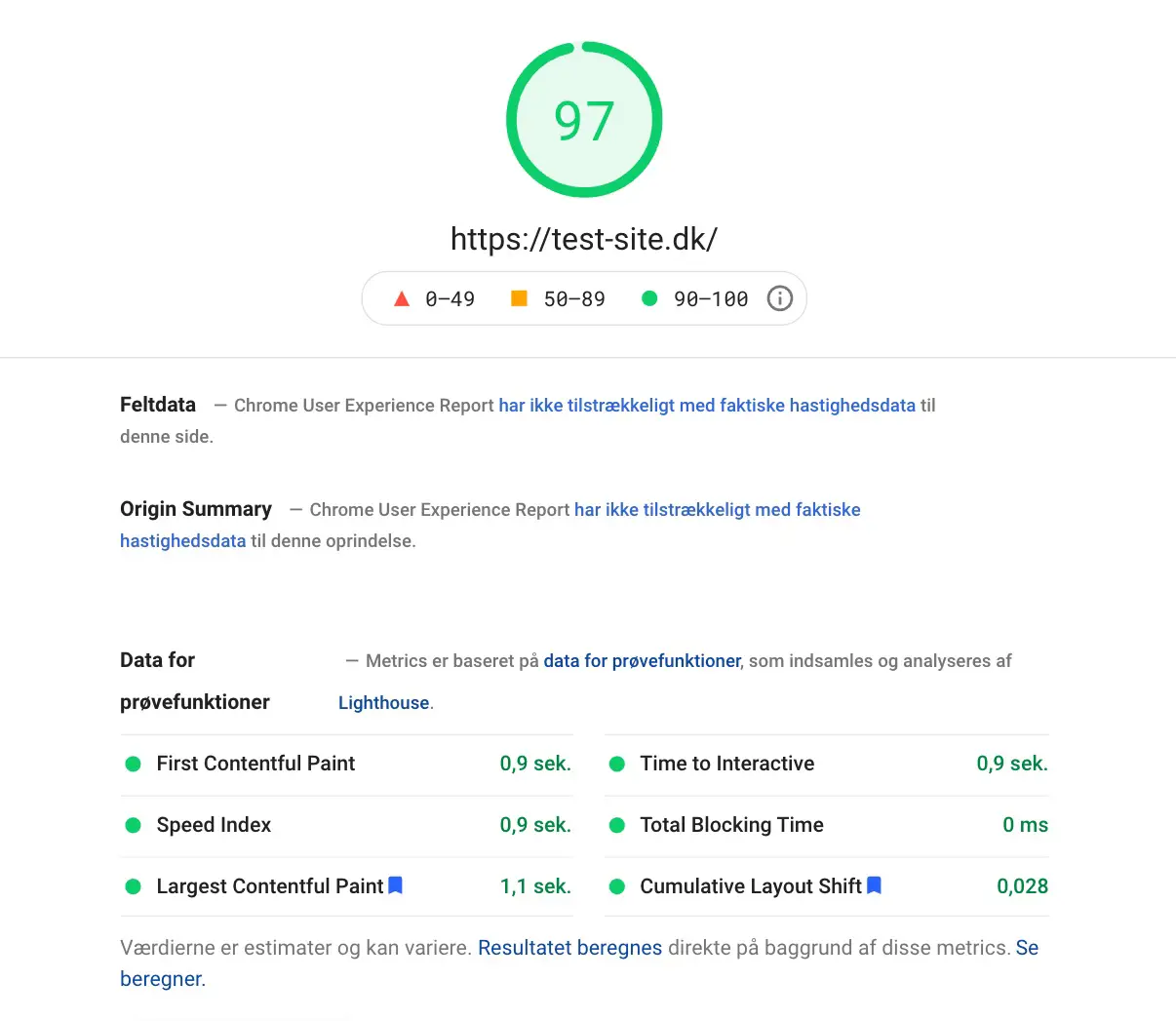
If you want to check how your pages perform on Core Web Vitals, you can use Google's PageSpeed Insights tool. https://developers.google.com/speed/pagespeed/insights/
The first thing to note here is that Core Web Vitals is translated to "Important web statistics", which is what you should focus on in the Insights tool.
The other thing you need to be aware of is the colour codes used in the statistics. These are the values of LCP, FID and CLS (marked in the screenshot with a black frame), which should preferably be green. This means that the overall user experience is good and your website has "passed".
If the values are red, you need to take action so that your ranking is not negatively affected.
In the example below, 1-2% of loads have not passed the criteria. On the other hand, 97-99% of users have had a really good experience and we don't need to do more.
Core Web Vitals in Google Search Console
Google has also recently added a report in Search Console that shows how your entire website - over time - performs on Core Web Vitals. The colour codes are recurring and should be green across the board.
The example below shows the statistics for an "older" website where none of the 1000+ pages have passed the Core Web Vitals criteria.
If we open the report, we can see that the problem is due to too many Content Layout Shifts when the pages are loaded. The critical result here is related to an outdated best practice for responsive design.


What should you do?
If you are an Illumi customer and you need help understanding your Core Web Vital statistics, please contact us. We can analyse your website's Core Web Vital performance in just a few hours and make concrete suggestions for technical changes that we believe would be meaningful to make to your solution.

If you want to understand your Core Web Vital statistics, contact
Client Advisor & Partner
Rasmus Bollerup
Want to know more?
Here you'll find inspiration and knowledge about everything related to your digital presence.

Google link attributes
Link attributes "Sponsored" and "UCG"
Get insights into how to use Google’s link attributes, as well as tips on what to do with backlinks that harm your rankings.

Page Speed
Page speed - an important ranking factor
Understand what page speed is and what to consider when planning your page speed strategy.

Google SERP
Optimise your visibility in Google SERP
Learn what's in the SERP and what you can do to optimise your visibility in the search results.

Introduction to web accessibility
Introduction to web accessibility
When your website is accessible, all visitors have a good experience, which benefits both them and your business.

Newsletter
Sign up for our newsletter
Get digital trends and opportunities delivered straight to your inbox.